About Me

My photo
The webblog covers the basic Internet competences and is supposed to serve as a manual for the people with disabilities and their assistants. The purpose of my webblog is to increase the accessibility of the Internet technologies for the people with learning disabilities and to implement the Web Content Accessibility Guidelines 2.0. There are as well the materials of my participatory camera workshop, aimed at sharing the skills and ideas during the adventurous insight in the shooting techniques. This workshop is for all those who are interested in creating new videos. Fresh ideas are welcome.
Showing posts with label online marketing. Show all posts

Tuesday, 1 February 2011

How to Buy and Sell Things on the Internet?

- How to Buy and Sell Things on the Internet?

Tips for buying things on the Internet:

Many people nowadays prefer to buy or sell things on the Internet. If you need to buy something, it is not necessary to go to the shop or supermarket. You could also buy things online. There are several huge internet shops where you could buy various products – from food to the technics. You could find the new one items and secondhand as well. It is more easy and convenient than to do shopping in the supermarket. For instance, some people don’t like shopping at all.

The most popular one worldwide Internet shopping services are Amazon.com and Ebay.com. You can order the products there and they will be delivered to you by post or with a courier. You can pay online with credit card or on arrival. There are thousands other smaller one specialized Internet shops.

Tips for selling things on the Internet:

The Internet proposes an easy-to-handle and client-oriented way to advertise and sell your products. A well-written ad for a product you want to sell on the Internet will interest more buyers. You can write an internet ad for your own product or for another person's or company's product that you intend to resell. Writing an ad takes some skills.

Used Words:

Online shopping allows to buy goods from a seller directly in real-time over the Internet.

Useful Links:

How to Find or Place an Ad Online?

- Where to find a website with ads?

- How to write and publish ads online?

One of the advantages of the Internet is advertising. You could reach an unlimited audience.

Tips for searching for an ad:

- Consider the topic of your ad. The more exact you are, the easier it would be to find what you need.

- Search the category with the ads you need.

- Search for the more actual ads.

- Look through several websites.

Examples:

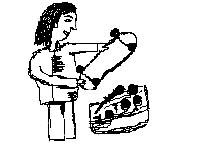
You are looking for a skateboard. But you need a used one, because you have no experience with skateboards and want to try first, if you will like skateboarding at all. So, you need the ads on the used or secondhand skateboards. Choose several websites with ads and start reading them regularly. If you learned how to find an ad, you could, for example, look for the job online. If you don’t find any ads concerning your demand, you could place an ad yourself.

Tips for writing an ad:

If you want to advertise on the Internet, you have to learn how to write good ads. Do not forget to put down your contacts such as e-mail address, online messenger and phone number in the ad. Once you have great ad text the next step is to find places where to publish it. Free ad websites are one of the best

places to start. Some of the bigger ad websites get millions of visitors a day. And there are really a lot of free ad websites for you to post to. Starting with the bigger ones first is your best move. There are paid one websites as well.

Paid advertising is another way and it takes many different forms. You can place your ads on some of the most popular websites for a fee. Now understand the amount it will cost ultimately will depend on the popularity of the website. Besides websites other avenues of paid advertising are webblogs, forums, search engines, and social networks.

Tips for placing an ad online:

- Consider the topic of your ad. The more exact you are, the easier it would be to get a response.

- Find a website with the ads which is popular and trustworthy at the same time.

- Find a category at the website which suits your ad.

- Write short ads. You need to catch the interest of the person viewing the ad immediately.

- Start with the headline. Peak the interest by telling what need or problem the product solves.

- Write an informative ad. The text should be short but full and contain all the necessary information. You have to describe what are the benefits of the product and what does the product do. Do make sure that what you are claiming is the truth. Please, put down in the ad all the necessary details in order you could be contacted easily, such as e-mail, online messenger and phone number. Think carefully about which contacts you would wish to display, since you make this information public and it could be misused.

- Make use of personal pronouns like "you" and "your".

- Capitalize to catch attention, but don’t overdo. Never capitalize the headline – this will look annoying and shouting. Use it only to emphasize certain words.

- Don’t forget to update your ad to make it actual.

Writing an effective Internet ad requires that you get attention and interest of a potential buyer. Learning how to place an ad on the Internet would help you sell and buy products online. You could look for the job online as well.

Required Tools:

* Computer with Internet connection

* Enough understanding of computer security while using online resources

Useful Links:

How to Use a Chat Room?

- What is a chat room and how does it function?
- How could I join and use a chat room?

You could use a chat room to discuss with your friends anything in the World, from music to politics online. In the chat rooms people from different countries, cultures, and continents meet each other and talk.

There are the most popular chat services:

- When you use Yahoo Messenger you can join there a region- or topic-based chat rooms. Whether you are looking for a group to discuss what Lady Gaga is up to or what is the latest news from China, Yahoo Messenger will allow you to join these. The application allows users to create their own chat rooms as well.

To join this chat you will need to download and install special software into your computer and create a free account. Visit yahoo.messenger.com to download a copy of the installer. Follow the directions and read up on the other features of the application. There is also an option to use the chat service via a web-based interface. Visit chat.yahoo.com for more details.

- Gmail.com – this worldwide e-mail service offers a built in chat Google Talk. If you have a gmail account you could chat with other users.

- IRC or Internet Relay Chat is one of the oldest and most popular chat services. The service is free and all you need to do is to download and install the software. Visit mirc.com and get your copy. Install, create a new account, and log in. Select a network to connect to and start chatting away.

- AIM is a very popular chat program helps you connect with your friends. It supports Google Talk and Facebook Chat.

- Skype – chat program which you could download online and use for chatting and international or landline calls. You could also connect webcam, headphones and microphone to your computer and talk to your friends or organize a web-conference online.

Social network websites like Facebook and MySpace have chat as well. When your friends are online, open up a chat and start chatting away.

Check out your Internet provider, while some of the bigger Internet providers give an access to chatting or instant messaging services. Keep in mind that some chat room services are not free and may require a monthly membership fee from you for using the service. Some chat services do not regulate offensive language. So make sure you are ready to talk to the people who might be not so friendly to you.

Used Words:

Chat - is a means of direct one-on-one communication over the Internet, using special software such as instant messenger. It helps you to communicate with your friends who are online.

Web-conference - a conference via the Internet.

E-mail - is a method of exchanging digital messages from one person to one or more recipients.

Internet provider - is a company that provides access to the Internet.

Download - to download means to receive data to a local system from a remote system.

Install - to install means to put the program onto a computer system so that it can work.

Required Tools:

* Computer with Internet connection.

* Enough understanding of computer security while using online resources.

Useful Links: